
A local SEO audit answers one question for a business owner: why aren't more people nearby finding and calling us? This guide walks through the checks that matter for a local service business, in the order they cost the business money, and shows how to run them in a few minutes with AAM SEO Checker.
Before you start: what a local audit is for
A general SEO audit lists every technical flaw it can find. A local audit is narrower and more useful: it looks at what stops a business from showing up when someone in its service area searches for what it does, and from turning that visit into a call.
Google says local results depend mainly on three things: relevance (how well a business matches the search), distance (how far it is from the searcher) and prominence (how well known it is) (Google Business Profile Help). The website feeds relevance and prominence, so that's what this audit checks.
Step 1: Run the crawl
- Install AAM SEO Checker from the Chrome Web Store and open it from the toolbar.
- Type the business's website address, for example
aceplumbing.com. - Leave Local business ticked. It adds the local checks and looks up the business's Google Business Profile at the end.
- Leave Mobile & speed checks ticked to measure key pages on a phone-sized screen.
- Press Start audit. Chrome asks for permission to read that one site; allow it.
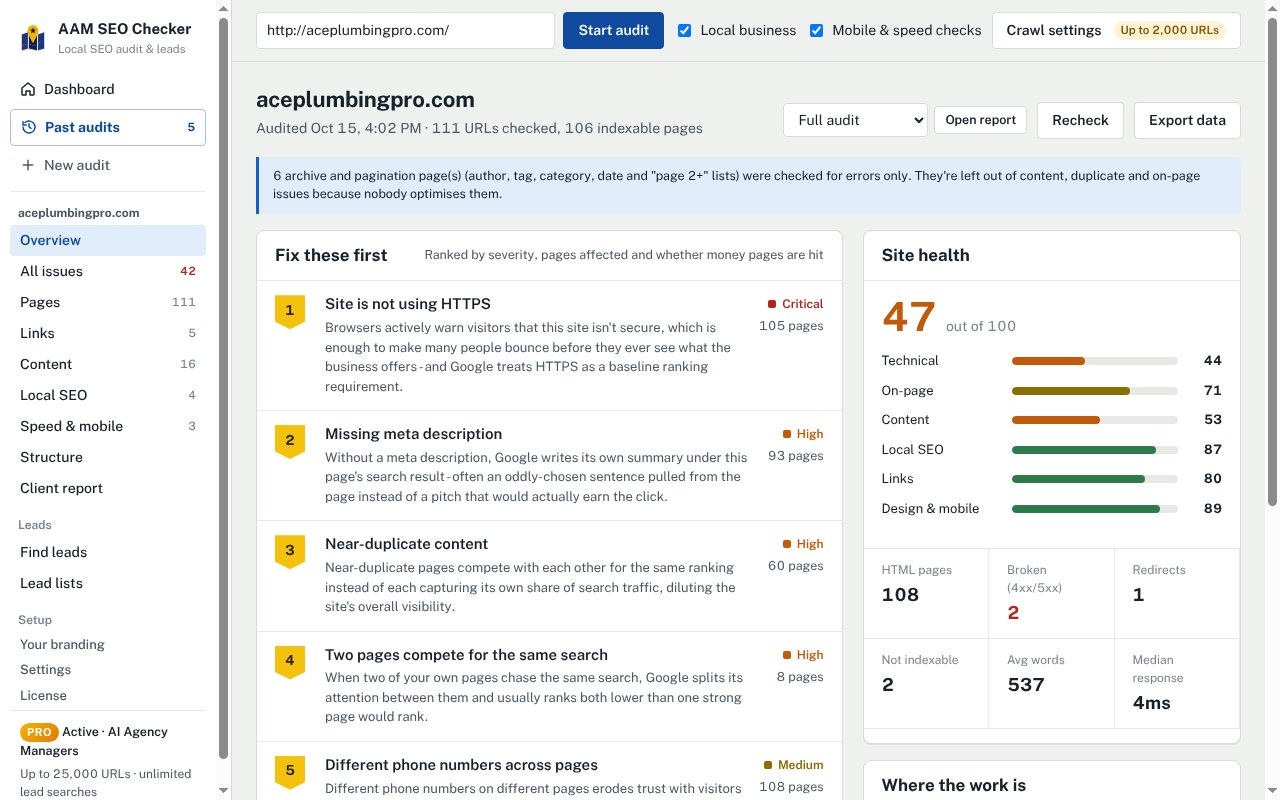
The extension crawls the site the way Google does, page by page, from your own browser. If the homepage doesn't load at all, the audit stops and tells you why (expired domain, missing DNS, server down) instead of producing an empty report. That's worth knowing before you pitch: a dead website is the first thing to fix.
Step 2: Check the foundation first
These problems block everything else, so they come first in any plan:
- HTTPS. Browsers warn visitors away from sites without it, and many leave before the page loads.
- Pages Google can't index. A stray
noindextag or a robots.txt rule can hide service pages completely. The audit lists every page that's blocked and why. - Broken pages and redirect chains. Links to pages that return errors waste visits and the trust that links pass.
- No XML sitemap. Not fatal on a small site, but it helps Google find new service and town pages faster.
Step 3: The local checks that matter most
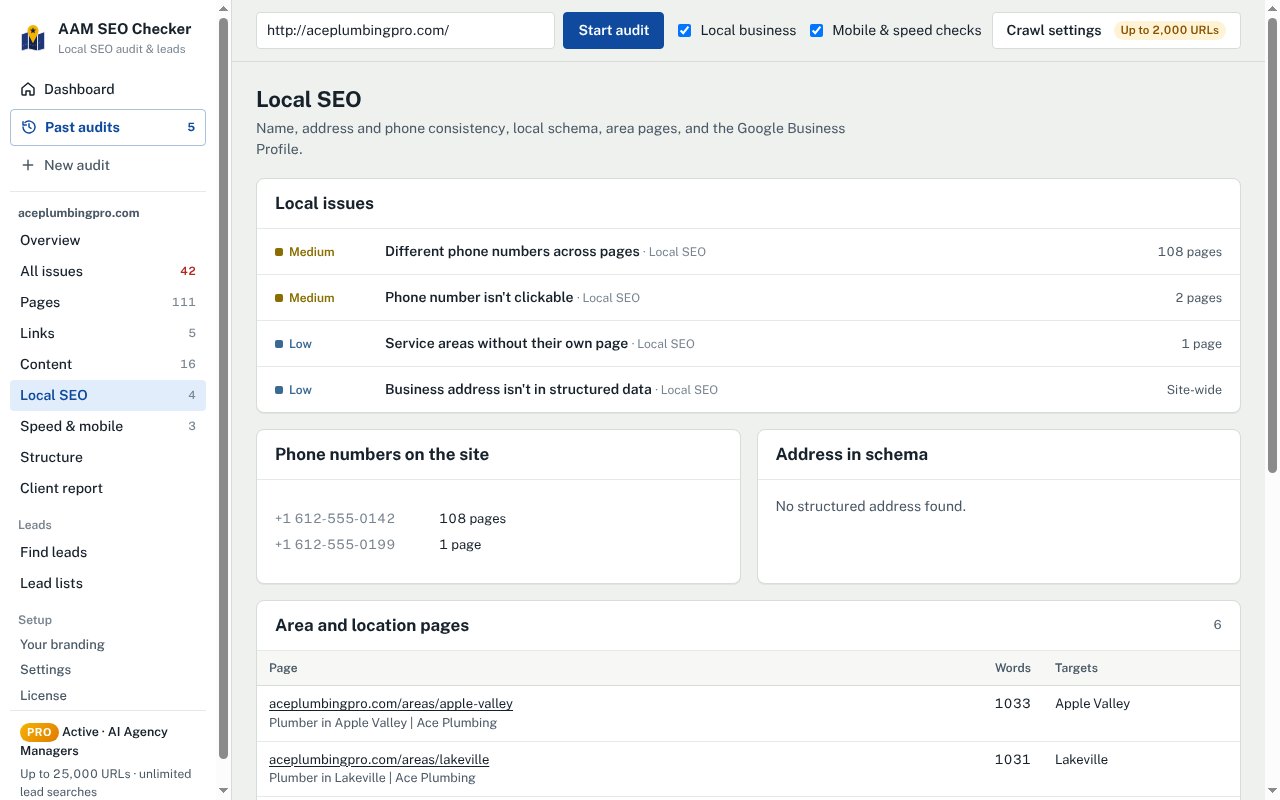
Open Local SEO in the audit. For a service business, these are usually where the quickest wins are:
- One phone number everywhere. Different numbers across pages (often an old number in the footer of some templates) muddle the business's details. The audit lists each number and the pages it appears on.
- A clickable phone number. On a phone, a number that isn't a tap-to-call link costs calls. This is one of the cheapest fixes there is.
- The address in structured data. LocalBusiness schema with the name, address, phone, hours and service area tells Google plainly who the business is and where. Our free Local Business Schema Generator writes the code.
- Town and service pages. A plumber serving six towns with one generic page will struggle to show up in five of them. The audit counts the town pages and the services each one targets.
- The Google Business Profile. With Local business ticked, the extension finds the profile linked to the website and checks it too. If it can't find one, that's listed as an issue: no profile is one of the most expensive gaps a local business can have.
Step 4: On-page and content
Next, check that each important page says clearly what the business does and where:
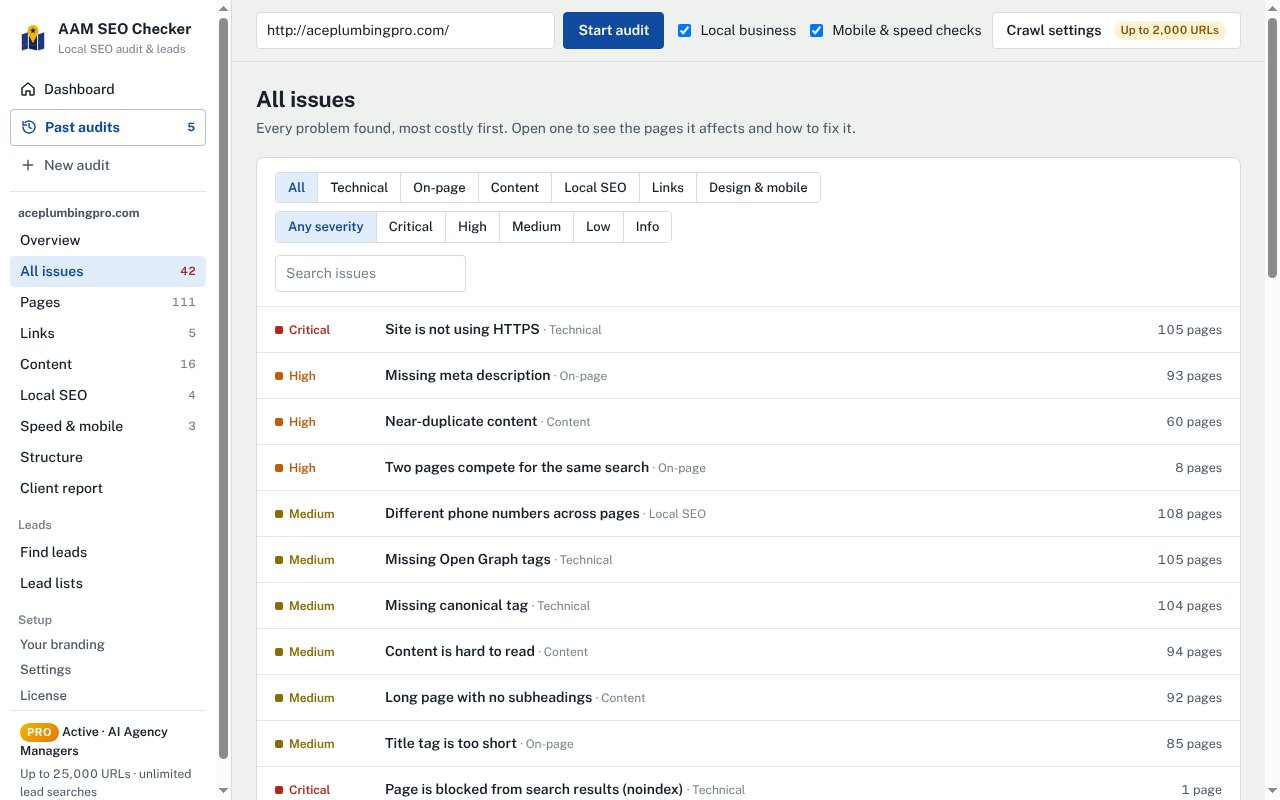
- Titles. A homepage titled "Home" tells Google nothing. Good local titles name the service and the town: "Emergency Plumber in Burnsville, MN | Ace Plumbing".
- Meta descriptions. They don't move rankings much, but they're the advert under the result. Missing ones are left to Google to write.
- One clear H1 per page, and headings that break long pages up.
- Thin and duplicate pages. Town pages that are copies of each other with the town name swapped compete with each other instead of ranking. The audit groups near-duplicates so you can see them.
- Pages competing for the same search. Two pages targeting "water heater repair" split Google's attention. Merge or re-aim one of them.
Step 5: Speed and mobile
Most local searches happen on phones, often in a hurry. The audit loads key pages at phone size and reports slow loading, layout shifts and heavy pages. You don't need a perfect score; you need the homepage and main service pages to load quickly and the phone number to be easy to tap.
Step 6: Prioritise and turn it into a plan
An audit with 40 issues and no order is a to-do list nobody starts. Sort fixes into three groups:
- Fix now: anything that blocks Google or customers (no HTTPS, blocked pages, dead links on main pages, no tap-to-call).
- Fix this month: local signals (one phone number, schema, titles that name the service and town, the Google profile).
- Build over time: town and service pages, content, reviews and links.
AAM SEO Checker does this ordering for you: Fix these first on the overview ranks issues by severity, how many pages they affect and whether money pages are hit. The client report then turns them into a phased plan written as actions ("Add a tap-to-call link to every page"), not as problems.
Step 7: Share it
Open Client report, check it, and save it as a PDF. The file is named after the business, and the report carries your name, logo and contact details. See how to send a branded audit report that wins the client for what to put around it.
Quick checklist
- Homepage loads, on HTTPS
- No important pages blocked from Google
- No broken links on main pages
- One phone number, clickable on every page
- LocalBusiness schema with name, address, phone and hours
- A page for each main service and each main town
- Titles that name the service and the town
- Google Business Profile found, linked and complete
- Key pages fast and easy to use on a phone
Questions
How long does a local SEO audit take?+
With AAM SEO Checker, a small local business site of 50 to 200 pages usually takes a few minutes to crawl. Reading the results and writing the plan takes longer; the report does most of that writing for you.
Can I audit a competitor's or a prospect's website?+
Yes. The audit only reads public pages, the same way Google does, so you can audit any site you're allowed to visit. It runs in your own browser and nothing is sent to us.
Do I need access to the business's Google account?+
No. The website audit and the Google Business Profile check both use public information. You'd only need access to make the fixes.